

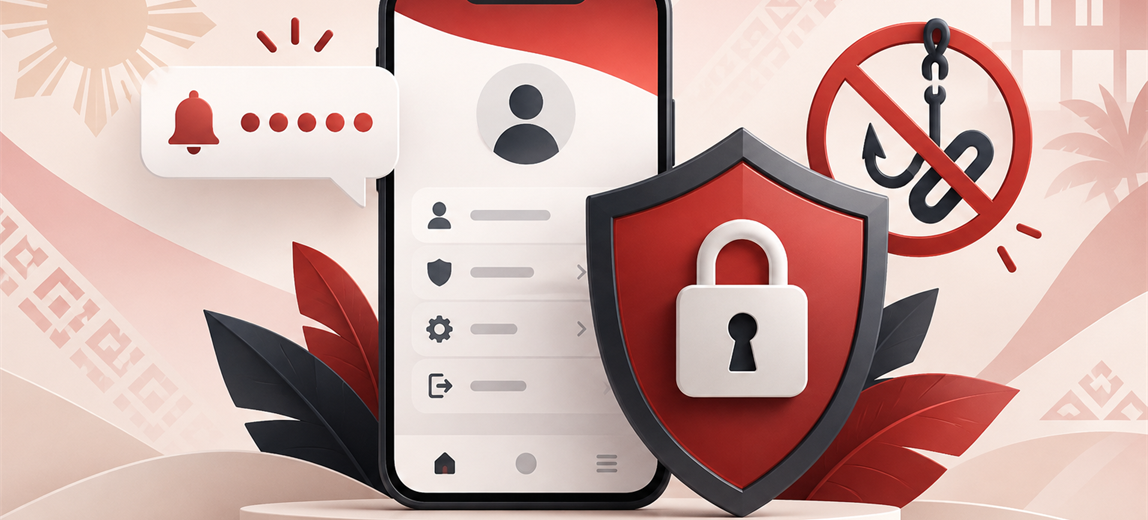
Online Casino Account Security Philippines: 9 Safety Checks
Last checked: 16 September 2026. An online casino account can contain more than a playable balance. It may also connect a mobile number, email address, identity documents, payment accounts and a record of deposits and withdrawals. Protecting the login therefore matters before, during and after play.
This guide gives Philippine players nine practical account-security checks. It does not claim that any website is risk-free. Good personal security reduces avoidable exposure, while operator verification, clear policies and responsive support remain separate checks.
What information can be linked to a casino account?
Depending on the operator and the stage of verification, an account may hold or reference:
- a Philippine mobile number and email address;
- a username, password and one-time PIN history;
- legal name, date of birth and address;
- identity-document images and a face-verification result;
- GCash, Maya or bank-account details;
- deposit, bonus, game and withdrawal records; and
- support conversations and uploaded evidence.
This combination can be valuable to an account thief even when the visible balance is small. Treat casino credentials and recovery messages with the same care used for an e-wallet or online bank.
1. Verify the exact domain before signing in
A familiar logo does not prove that a login page belongs to the licensed operator. Check the full address, including spelling and domain ending, before entering a phone number, password or one-time code. Avoid login links forwarded through group chats, comments, unsolicited text messages or unofficial social accounts.
PAGCOR launched the PAGCOR Guarantee site so the public can check licensed internet gaming platforms and enter them through a regulator-maintained route. Our guide to checking a Philippine online casino licence and domain explains how to compare the brand and address.
If a referral redirects, check the final address again. A legitimate-looking first URL does not automatically validate every later domain in the chain.
2. Use a unique password that is hard to guess
The National Privacy Commission's password guidance tells users not to base passwords on easily obtained personal information such as names or birth dates, not to use easily guessed choices, and not to reuse the same password for different services. It also recommends a mix of characters and a minimum length without setting one universal number for every system.
For a casino account, use a password that is:
- different from your email, e-wallet, bank and social-media passwords;
- not built from your name, mobile number, birthday or casino username;
- long enough to resist guessing and accepted by the site's rules; and
- stored in a reputable password manager rather than an unprotected note or chat.
A complex-looking reused password is still risky. If one unrelated service leaks it, an attacker can try the same credentials on other accounts.
3. Treat every OTP as a one-time authorisation
An OTP may confirm registration, login, password reset, a payout-account change or a payment action. Read the message and the screen before entering it. If you did not initiate the action, do not continue.
The National Privacy Commission notes that passwords alone may not provide sufficient protection and recommends additional authentication factors. That extra factor only helps when the code stays with the account owner. GCash likewise states that users should not share an MPIN or OTP outside the intended app login process.
Customer support should not need your current password or a one-time code to explain a rule or locate a published policy. Anyone pressuring you to read out a code, screen-share a reset, or approve an action you did not start should be treated as a security risk.
4. Secure the mobile number and email used for recovery
A strong casino password is less useful if someone controls the linked SIM or email account. Put a separate, unique password and available multi-factor authentication on the email address. Keep the phone's operating system updated, use a screen lock and do not leave recovery messages visible on a shared device.
If a SIM stops receiving calls or messages unexpectedly, contact the mobile provider before repeatedly requesting casino OTPs. If you change numbers, update the account through the operator's official recovery process rather than giving credentials to someone offering a shortcut.
5. Upload KYC documents only through a verified route
Identity verification can involve a government ID, personal details and a selfie or face check. Confirm the domain and open the upload page from inside the verified account. Do not send an ID through a personal messaging account merely because someone claims to be an agent.
Before uploading, read the operator's privacy notice and check what data is requested, why it is needed, how to contact the privacy team and whether the page uses a secure connection. Our guide to casino KYC before withdrawal covers the verification sequence and common document checks.
When keeping evidence for yourself, store it securely. When publishing or sending a general support screenshot, cover unrelated ID numbers, full mobile numbers, account IDs, balances, QR codes and payment references unless the official case process specifically requires them.
6. Protect payment and payout-account details
Use the cashier opened from the verified casino account, then check the payment provider's own confirmation screen. Do not rely on a QR code or account number copied from a comment, private message or unofficial promotion.
Before confirming a transaction, compare the amount, recipient or merchant information and purpose shown by the e-wallet or bank. For withdrawals, make sure the receiving account belongs to the correct person and that the displayed details have not changed unexpectedly.
Our Philippine casino payment-method guide explains common deposit and withdrawal routes. A familiar payment logo is convenient, but it is not proof that the casino page presenting it is genuine.
7. Review account history and active sessions
Check login, deposit, bonus, game and withdrawal history regularly. Look for an unfamiliar device, changed payout account, reset request, bet or cash-out. If the site offers an active-session list or a sign-out-all-devices control, use it after a suspicious event.
On a shared or public device, do not save the password. Sign out when finished, close the browser and avoid downloading statements or KYC files to a computer you do not control. Private browsing can reduce local history, but it does not make an unsafe device trustworthy.
8. Recognise phishing and support impersonation
Common warning signs include:
- an urgent message claiming the account will close unless you log in through a supplied link;
- a request for an OTP, password, MPIN or screen-sharing session;
- a promise to unlock a withdrawal after an additional payment to a personal account;
- a misspelled domain or a page that does not match the operator's normal navigation;
- a social profile that cannot be reached from the verified website; and
- a download described as a security update but distributed outside the operator's official channel.
Do not reply through the suspicious message. Open the verified site separately and contact support from the account or a published official address.
9. Know what to do after a suspicious login or message
- Stop entering information. Do not send another code or payment.
- Preserve evidence. Save the sender, time, exact URL and relevant screenshots without publicly exposing your credentials.
- Open the official site separately. Do not use the link in the suspicious message.
- Change the affected password. Also change any reused password on other services.
- Secure recovery channels. Review the linked email and mobile account for unexpected changes.
- Check transactions and payout details. Report unrecognised activity through the operator's official support route.
- Contact the payment provider when relevant. Use its official app or help centre for an unauthorised e-wallet or bank transaction.
Changing a password does not reverse a payment or guarantee recovery. Acting quickly, preserving accurate evidence and contacting each affected provider through an official channel gives the case a clearer trail.
What should a casino provide?
Players cannot carry the entire security burden. A responsible platform should provide secure authentication, protected transmission of personal information, clear account-recovery steps, controlled KYC uploads, usable transaction history and a support route that does not ask for secret credentials.
The National Privacy Commission says organisations processing personal data must use reasonable and appropriate organisational, physical and technical safeguards. Its data-security guidance includes secure authentication, access controls, encryption and monitoring for unauthorised access.
A platform should also explain how to report a suspected account takeover and what evidence is needed. Vague instructions that move a player from the official site into an unverifiable personal chat are a reason to pause.
How Player Gauge checks account security
Player Gauge reviews whether the exact operator and domain can be verified, how registration and recovery work, whether secret codes are handled clearly, where KYC is uploaded, how payout accounts are added, whether transaction history is usable and how easily official support and privacy information can be found.
We do not publish unredacted test-account phone numbers, OTPs, member IDs, balances or payment identifiers. Security and privacy observations are reviewed over time rather than treated as a one-time permanent result. Read the full Player Gauge methodology and update policy.
Frequently asked questions
Should I use the same password for several casino accounts?
No. A separate password limits the damage if one service is compromised. The National Privacy Commission's guidance specifically advises users not to reuse the same password across different services.
Can casino support ask for my OTP?
Treat an OTP as secret authorisation for the exact action shown on your screen or in the message. Do not disclose it to someone contacting you through chat, SMS or social media. Open the verified operator site separately if you need help.
Is a secure padlock icon enough to trust a casino website?
No. HTTPS protects the connection to the domain you opened, but a phishing site can also use HTTPS. Verify the exact brand and domain against current PAGCOR information before entering account or payment details.
What personal details should be hidden in a screenshot?
For a public review or ordinary discussion, cover full phone numbers, OTPs, passwords, member IDs, balances, ID numbers, QR codes and payment references. Official support may need selected evidence for a case, but send it only through the verified support process.
What should I do if I entered my password on a suspicious page?
Open the official site separately, change the password immediately, end other sessions if that control exists, secure the linked email and mobile number, check payout details and transactions, and contact official support. Change the password anywhere else it was reused.
Official references
- National Privacy Commission Guidelines on Passwords
- National Privacy Commission data-security guidance
- PAGCOR announcement on the PAGCOR Guarantee verification site
- GCash guidance on protecting MPINs, OTPs and personal information
- PAGCOR responsible-gaming and exclusion information
Responsible gaming: Online gambling is for adults aged 21 and over in the Philippines. Account security does not make gambling a source of income or remove the risk of loss. Set time and money limits, never borrow to gamble, avoid chasing losses and use time-out or exclusion support if play becomes difficult to control.
